Quickstart
From zero to a live session in about five minutes. This walkthrough uses a built-in sample lab, so you can run a real session before authoring anything.
Create your organisation
Open the sign-in page and enter your email. EduShell sends a one-time link, so there is no password to choose or remember. The first time you sign in, an organisation is created for you and you become its owner.
Your organisation is your workspace: it holds your labs, your sessions and your team.
Pick a lab
A lab is the exercise: the instructions a learner reads, the environment they get, and the automatic checks that confirm each step. Every new organisation starts with sample labs you can run as they are.
Open Labs, choose one, and note its name. You will author your own later.
Schedule a session
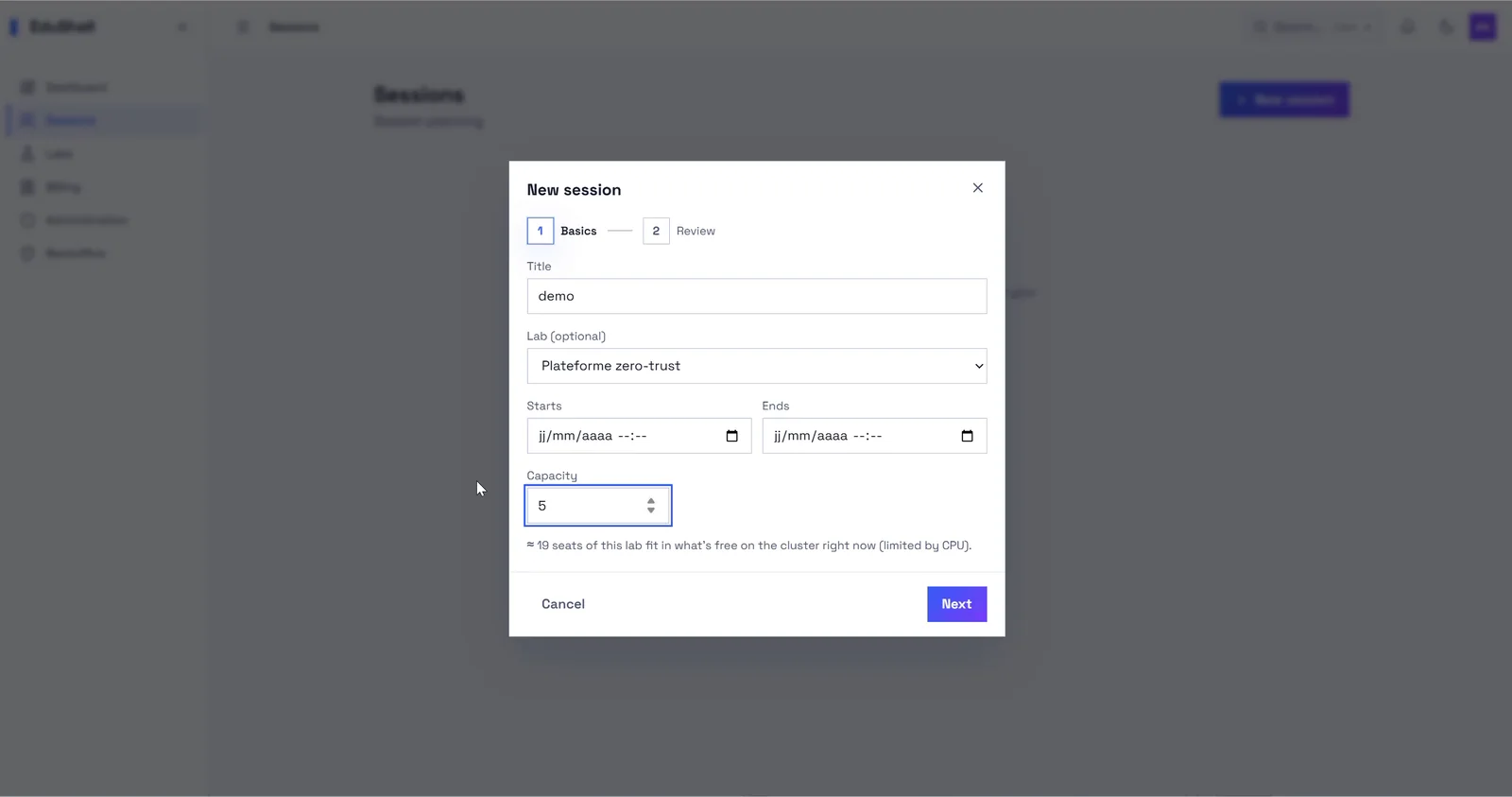
A session is one run of a lab for a group. Open Sessions, click New session, then:
- Give it a title and pick your lab.
- Set the capacity (how many learners) and, optionally, a start time.
- Save it, or start it right away.
EduShell pre-provisions a ready environment for each seat, so learners never wait for a machine to boot.
Invite your learners
Each session has two ways in, use whichever fits:
- Invite link: share the session link; learners click it, sign in by email and land straight in their environment.
- Join code: read out a short code. Learners open the join page, type the code, and they are in, with no account needed up front.
Either way, there is nothing for a learner to install.
Run it live
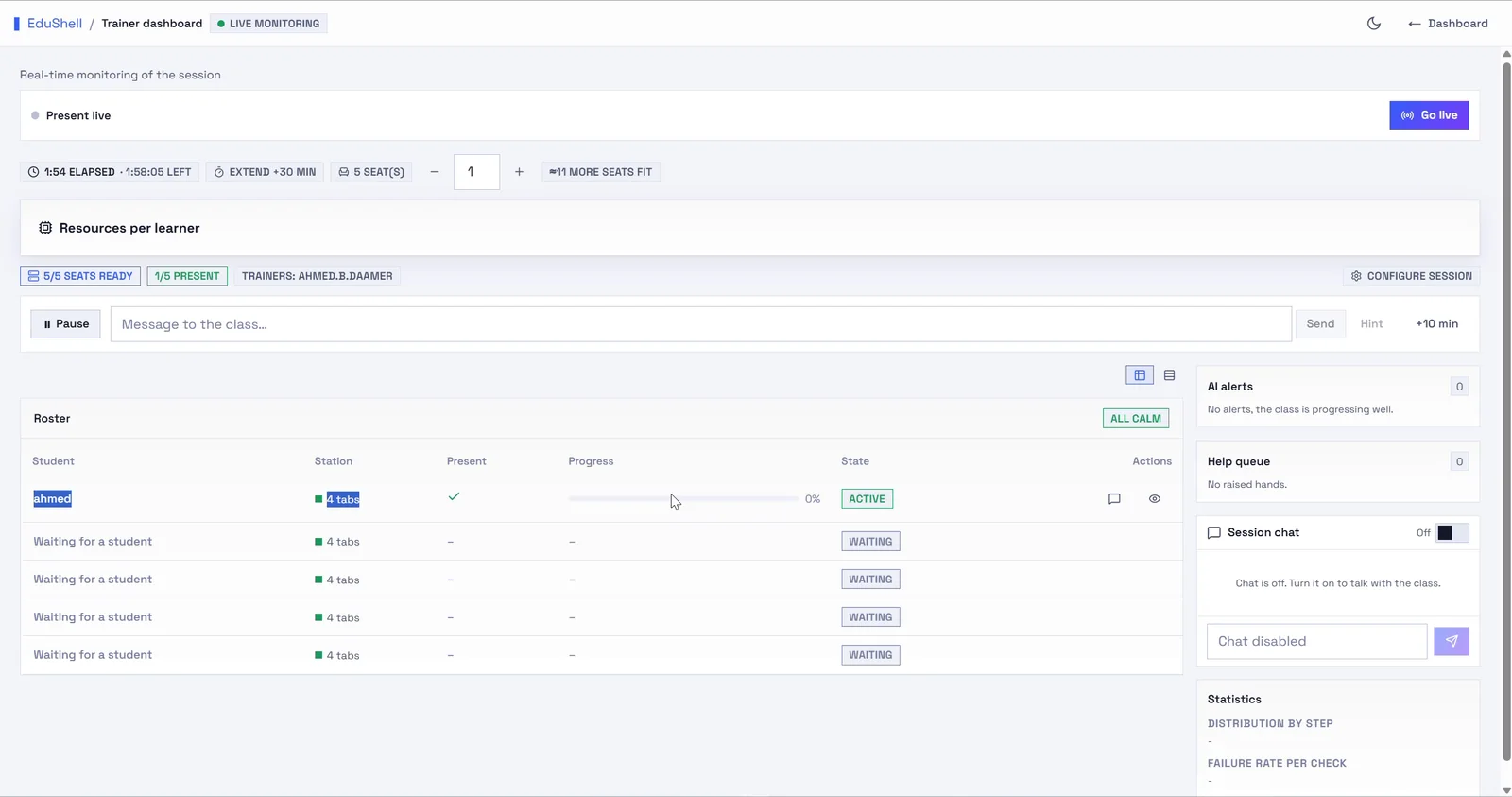
Open the session's live monitoring view. You see every seat, who is present, how far each learner has progressed, and an alert the moment someone is stuck. From here you can jump into any terminal, send a hint, or message the whole class.
That is a full session, start to finish. Next, read the Trainer & admin guide for authoring labs, taking control of a terminal, and running your organisation.